


Finally! We finally have the native Notes scheduling feature!
It’s the bare minimum for a social media, but somehow we lived for a few years without it.
Which opened new opportunities for monetization for people who could build browser extensions that could do the work. I use those too.
The only downside: you had to keep your browser open…
So yesterday was a BIG day.
I’m so excited to share with you this new feature:
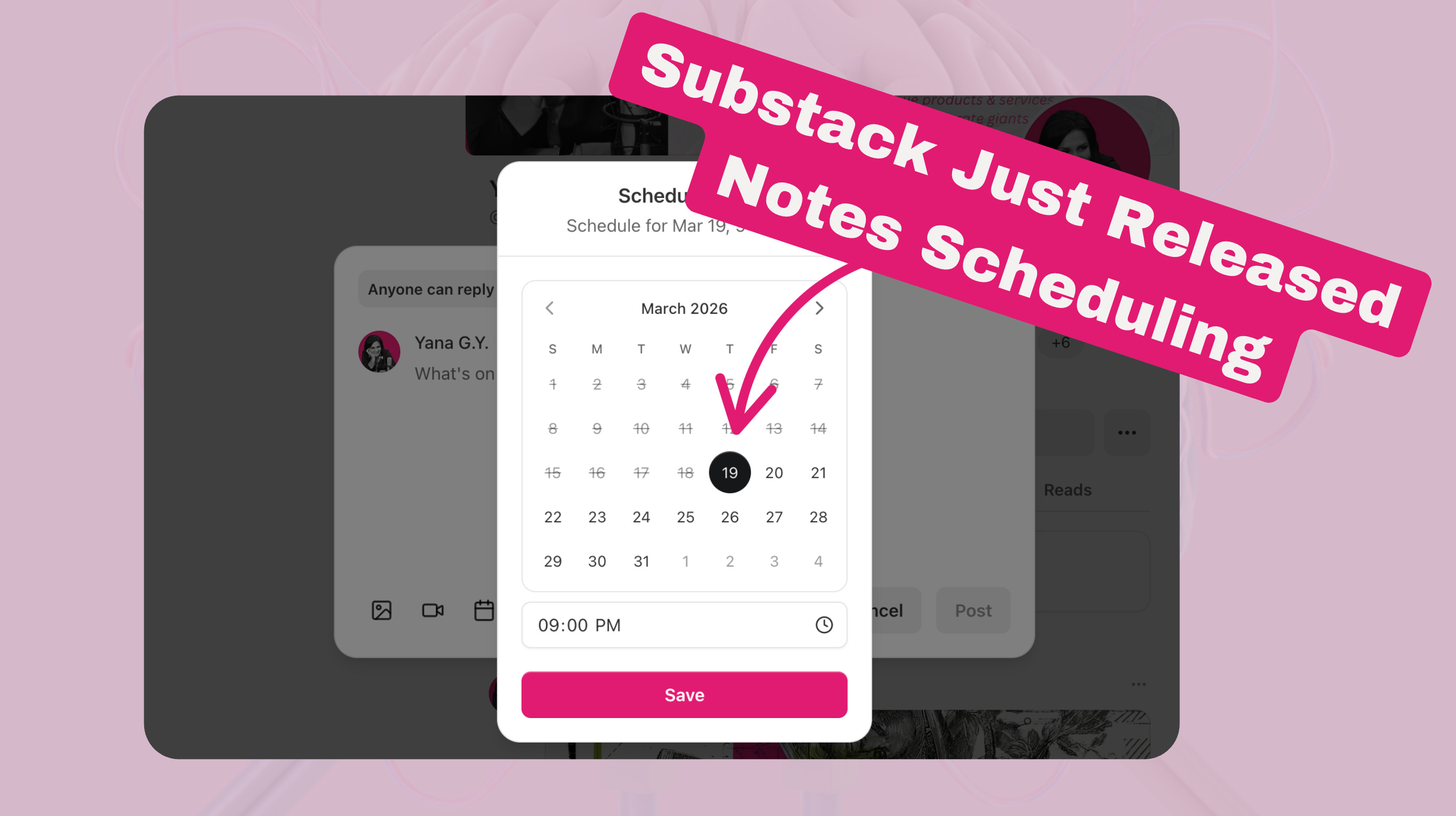
You can find it in the Notes editing window:
on a PC: when you click that little calendar icon at the bottom
on a mobile: when you click the three dots in the upper right corner
Here’s how it looks like on a mobile:
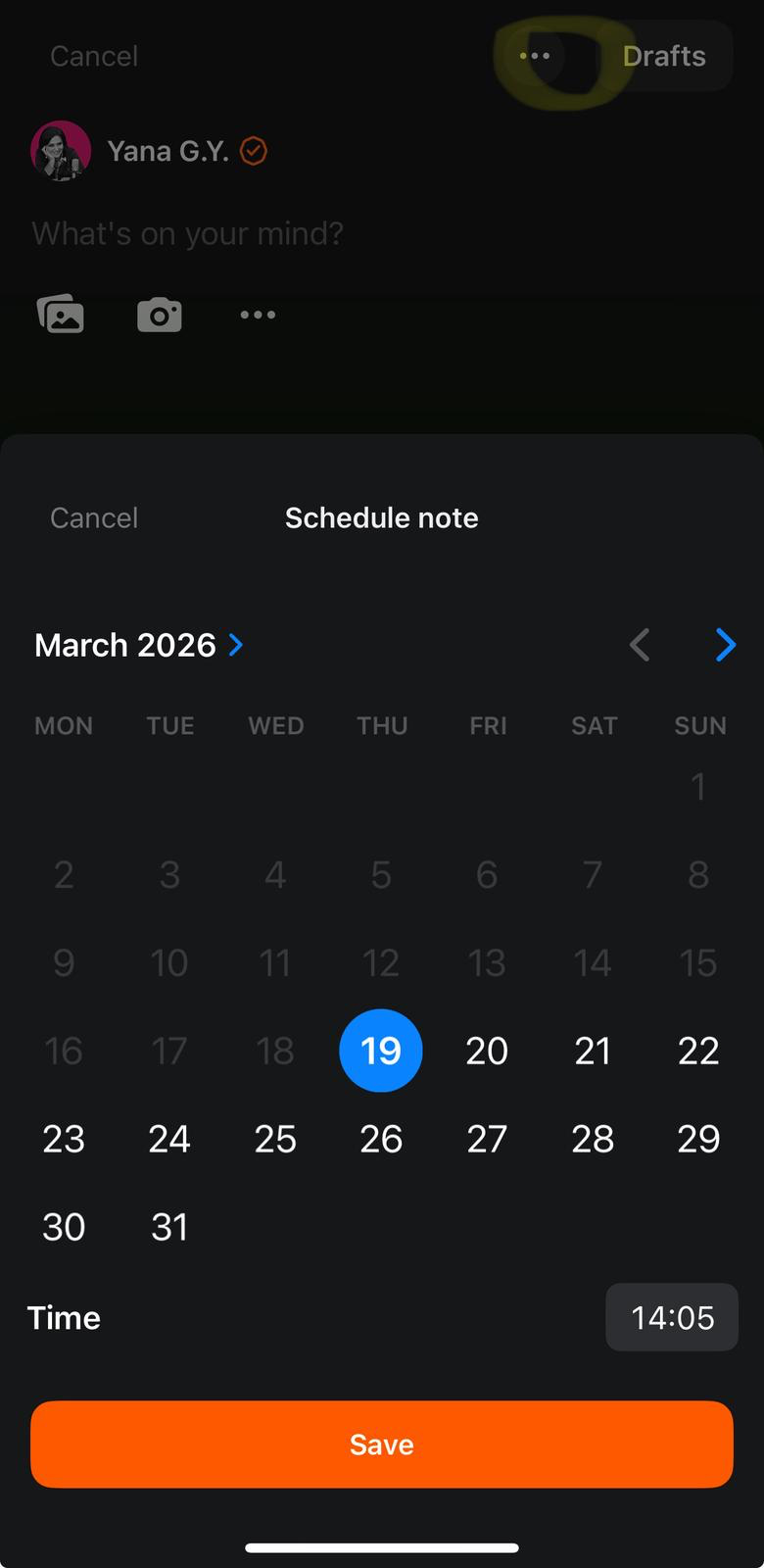
It’s pretty straight forward.
And after posting?
You get a nice little notification like this:

The Upsides:
#1 They’re native to Substack, no need to keep your browser open anymore
#2 We don’t need to use external tools like browser extensions
But don’t we, really?
The Downsides:
Just one, but with many consequences: It’s a basic feature much like any social media. What this means:
#1 After you schedule, you can only manage on a PC, not on your mobile. You can find it in drafts, like this:


#2 You don’t see what are the best time slots to post
It’s important for engagement (i.e. for your subs growth) and that proved from my many analyses with AI.
#3 You can’t predefine slots and easily drop new Notes in them
All of those things I can easily do with Finn’s Substack Studio Pro, plus you can:
import CSV files to batch schedule
export all your Notes stats (so that you can analyze with AI)
and use my most famous custom GPT the Viral Notes Writer to draft highly engaging Notes.
Convenience is a big thing. It’s what made giants like Google and Revolut rise above those who overlooked customer experience.
My way forward
So is this the end of the Notes scheduling browser extensions?
Not at all.
They just got better: no need to keep your browser open AND you keep all of convenience of use plus all of the great features.
Finn is building a new version of the Substack Studio Pro, and Orel from WriteStack is doing that too.
Both are also bringing new features to the game.
So I’m definitely staying with them.
You know me, I’m obsessed with data. I can’t live without my analyzes and my AI minions. Who knows? Maybe one day Substack will enhance the analysis section, fingers crossed!
But until then, I have my tools.
Yana
P.S. You can get Finn’s Substack Studio Pro AND my most famous Viral Notes Writer GPT here.
👉 Start a discussion in the Unplugged community! Get help or simply introduce yourself and connect with like-minded members, and create meaningful connections.
Kickstart Your Substack Growth:
Get a FREE 10-Day Substack crash course to grow your first 1000 subscribers
Join my free Masterclass on how to start making consistent $5,000/month with AI
Join the One and Only Substack Quest to build a high-converting Substack
Work with me to get your Substack up and growing
Save Tons of Time! Use My Custom GPTs:
The Title Generator that gives me headlines that stop the scroll
The Notes Writer that writes Viral Notes, bringing me hundreds of subs
The Writer Pro that turns my Notes into >90% human drafts (here’s the free version).
Or get the bundle with all the tools, now at a very special price ;)
Become an Affiliate:
Earn 30% from each sale. Apply here (I approve everyone).
My Newsletters:
FREE Daily BiTES: A daily mail with just 3 bullets from the most helpful things I read about writing and making money online with AI
Have a GUT Time: A weekly short but powerful technique to build a growth mindset and achieve anything you want
Unplugged: The place to be if you want to grow an AI-powered paid newsletter and create content that sells itself.
Become a sponsor:
Reach thousands of engaged buyers.
Thanks Yana,
The email for the new Version v1.0.42 (beta) is going out at 4 PM EST (in 15 minutes).
Both the CreativeTech Substack Pro Studio (GPT Bundle) and Substack Pro Studio are available for beta testing of this new server-side scheduling, which removes the need to keep your computer running and a browser tab open.
Many other new features are packed into this version.
I fing it annoying when they make it so we have to use desktop. I wish we could publish posts from the mobile app too.